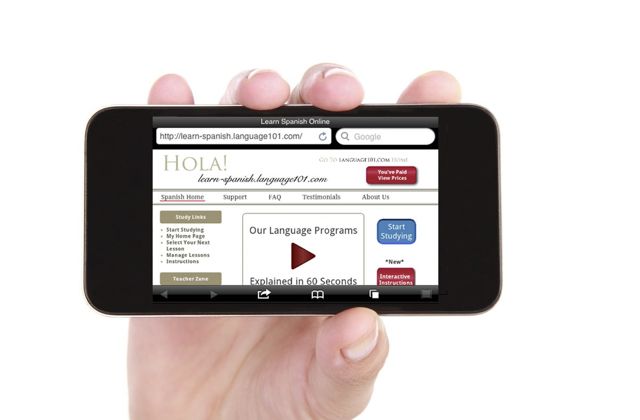
Language101.com Now on iPhones, iPads

You can now use Language101.com on iPhones and iPads.

It’s now possible to use Langauge101.com on an iPhone or iPad.

Some people will be able to do this easily with Safari.

Others need to use a different browser called Puffin or Photon.

Everyone can make it work.

To see which approach you will have to use, please try our free demo using your iPhone or iPad.  Using Safari (that’s the browser that comes with iPhones and iPads), click on your favorite language to the top right of this page then click the big “Try It” button to try our free demo.

If the demo works the full version of the program will work.

If that doesn’t work, then try this.  Using your iPhone or iPad, go to  iTunes and to upgrade or go to your Settings > General > Software Update and then press Install Now.

This will install iOs5 and upgrade your version of Safari.  You may need to get a different browser called Puffin or one called Photon.

Try Puffin — It’s Not a Bird It’s a Browser

Puffin is a product of a software company called CloudMosa, Inc.  It’s a full featured web browser which allows iPads and iPhones to use Flash and thus work with Language101.com!  Please take a look at the Puffin home page for information.

Click here for the free trial version of Puffin.  Once you are completely satisfied with how well it works with your iDevice you can pay $2.99 and get the full version of Puffin which will keep you studying with Language101.com!

Language101.com is not affiliated in any way with Puffin – we are just grateful that they have taken the time to develop this piece of software which helps our students learn more effectively!

We are also very grateful to our customers who have nicely asked Apple for this improvement and to Apple for making this improvement possible.

Change Your iDevice Software Settings — It’s Legal and Easy

If Puffin doesn’t work, then you’ll need to change the software setting on your iPhone or iPad.  For some strange reason this has come to be called “Jailbreaking your idevice”.

In spite of the naughty sounding name, jailbreaking simply means that you are changing the software settings so you can run software that you didn’t download from Apple.  It makes your iDevice more like a laptop, that can run software from any vendor, not just a big company like Apple.

This absolutely will work if the other approaches don’t.

For detailed instructions on how to do this for your iDevice, do a Google search for the term “Jailbreak iPhone, iPad or iPod”.  When you have completed the Jailbreak, make sure that you have Flash installed, and then Language101.com will work just fine.

Remember that if you “update your operating system” software from Apple it will undo this fix, so do that before you make these software changes, and then make sure to turn automatic updates off.

How Well Does Language101.com Work on an iPad?

I just bought a new iPad mini to test this on.  First I installed Puffin and then Photon and found that the actual study worked just fine.

However, the Flash part of Puffin in the free demo, that lets it work with Language101.com expires after 14 days, so if you like it make sure you pay for it, and you will get a version that keeps working.

What did not work well for me, was the audio in the demo.  This audio was intermittent enough to be annoying.  You may want to go through the demo on a laptop then go back to studying on your iPad.

Make sure you watch the instruction videos too.

Last Updated:  April 23, 2013

Please leave your tips and suggestions below.

Leave A Comment

31 Comments to “Language101.com Now on iPhones, iPads”

  1. Sylvia Scheid

    I just used language101.com on my IPhone, on a road trip. Everything works great! I also showed it to a friend, whose reaction was, “…wow, that’s awesome. I wish we could use that at my school!” Thank you for the great learning tool you’ve provided.

     
    Reply
  2. edwardmiller

    Had to download Puffin to get it to work, even with a fully patched iPhone 4S running iOS 5.1. However, Puffin works great, and is an exceptionally fast browser and I have increased my available study time by nearly 80%. Thanks so much!

     
    Reply
  3. Cathy

    The demo works but no sound. I downloaded Puffin on my iPad but it just keeps crashing. I have the 4S with latest software.

     
    Reply
    • Brent Van Arsdell

      Hi Cathy,

      I assume that you tried Safari first and that Safari didn’t work. Some of our iPhone users at least have said that Safari does work. Puffin is supposed to work on your iPad. If it’s crashing I’d call the people who make Puffin (a company called CloudMosa) and see what they recommend.

      I think it’s very likely that you will be able to get it work, but it may take some more fiddling.

       
      Reply
  4. SteveR

    I was able to run Language101 on Safari, but had no sound. I loaded Puffin and everything works perfect.

     
    Reply
    • Brent Van Arsdell

      Thanks SteveR,

      Another success story!

      Brent

       
      Reply
  5. ocharala

    I tried the safari and puffin as suggested. I can see the text but there is no sound…

     
    Reply
    • Brent Van Arsdell

      Hi Ocharaia,

      Exactly which idevice and which version of iOS are you using? Puffin says they support flash so give them a call and see what the deal is.

      Brent

       
      Reply
  6. Savannah

    I’ve tried Puffin and Safari and the program works on both, but the sound doesn’t work on either — same problem as Cathy above. I’m using the iphone 4, I have the most updated software, and the speakers are set to max volume, but still no sound.

     
    Reply
    • Brent Van Arsdell

      Hi Savannah,

      If you post exactly which version of the iPhone 4 and exactly which version of iOS (your operating system software) that might help trouble shooting.

      Brent

       
      Reply
  7. Russ

    You were kind enough to set me up with my Language101 Irish account and I’d love to use it on some mobile device, But unfortunately all I have is a 4th Gen iPod. No 3G or 4G service, just WiFi, if I’m in range. Still, I do have the latest iOS. Do you think it’s worth a try?

     
    Reply
    • Brent Van Arsdell

      No guarantees, but give the demo a try. If the demo works the full program will work.

      Brent

       
      Reply
  8. HELP! I, too, have no sound on IPad 1 after downloading Puffin and having the iOS 5.1.1. Works great on IPhone 3GS with Puffin and iOS 5.1.1. Must work on IPad 1 b4 deciding to invest. :( mn

     
    Reply
  9. Okay, I just did a little trouble shooting. In Puffin’s settings, there is an “Ignore Mute Switch” The default is “OFF”. Simply turn it to “ON”. Just tried it on the IPad, and the volume worked. Yea! Dont know why it worked on the IPhone with out doing that. Also, went to App HELP on the App page after that, and that’s exactly what it said to do. Problem fixed!

     
    Reply
    • thomas

      Melissa -

      Great work! Thanks for sharing what you did you resolve that issue! Now a lot more people can use your tip to get their iPad working too!

      Thomas

       
      Reply
  10. Dave

    I’m puzzled about why some people seem to be able to get this to work on Safari and others can’t. Any ideas? I just upgraded my IPad to IOS6, hoping it would then work, but it still doesn’t. I’m reluctant to install Puffin until Puffin is also upgraded to work on IOS6.

     
    Reply
    • thomas

      Dave -

      That’s a great question and maybe one aimed for Apple. With a proprietary product like the iPad paired with iOS there should be a really simple standard of expectations that can be achieved. Apple has had a hard time with releasing software updates for the iDevices they produce with standardized results. Some users get bonus points while others users with the same device get nothing. Did you upgrade straight from iOS4 to iOS 6? Did you get Language101.com to work with iOS5 first?

       
      Reply
  11. Dave

    I went from IOS5 to IOS6, and it didn’t work on either one. In my case, it’s kind of an academic question, since I have a Nook that works fine with Language101.com. There is another great Spanish series of free videos called Destinos that works fine on the Nook but not on the IPad. It’s just bothersome to me that I paid more for the IPad, but in some important respects, it has less functionality than the Nook.

     
    Reply
    • thomas

      Dave –

      This is a common statement with iPad users. The single reason for this difference is that Apple decided quite a few years ago to build their iOS series of operating environments without Adobe Flash compliance in order to push a market into HTML5 standards instead. Any interactive Flash based websites (such as Language101.com or some game websites) don’t display the content properly since only video based flash content was approved and designed into iOS. It seems that with Adobe’s new tweaking of their product there is now some native iOS compliance. Check out this short report on the why’s and how’s:

      http://kubashi.com/breaking-news/sigh-apple-ios-5-devices-will-finally-get-flash-supported-browsing/

      The best way to get Flash compliance is to simply jailbreak the device and install a browser that supports Adobe Flash content. An alternate way would be to check out the App Store and install a browser called Puffin. Puffin designed a web browser with a little more work behind it, hence the meager cost of 2.99 for the browser. Their browser reads the data on the website, streams it to their servers then sends the data back to your device in a new format that you can interact with rather seamlessly. It’s an elegant fix for what seems to be a simple tweak in Apple’s coding as jailbreaking doesn’t do anything more than unlock the device to allow unapproved applications to be loaded into the otherwise stock iOS.

      Unfortunately Language101.com doesn’t have the resources to support you in jailbreaking your device. The incredibly talented community over at http://modmyi.com will certainly be happy to answer any and all of your iTweak questions.

      Thomas

       
      Reply
  12. Tim

    I’m also experiencing this problem on my iPhone 4 (iOS 6), my wife’s iPhone 4S (iOS 6) and my iPad 1 (iOS 5.1.1).

    I’m reluctant to install Puffin.

    Why don’t you provide an HTML5-based site, or better yet, develop an App that can run native?

     
    Reply
    • Brent Van Arsdell

      Hi Tim,

      Puffin is sold by the Apple app store, so it is all blessed by Apple. I think it would be as safe as going to church!

      Thank you for your suggestions about future developments. We are going in the direction of HTML5. We would have done that long before now except that it wasn’t supported by Internet Explorer. Even now not all browsers support the same audio formats.

      We probably won’t do an iPhone or iPad app because Apple keeps cutting the amount that the developer gets. We might do an Android app.

      If Puffin doesn’t work for you, then I’d suggest that you jailbreak your phone. Be radical, live on the edge, have adventures!

       
      Reply
  13. chris

    Does it work?

     
    Reply
    • thomas

      Chris -

      Since Apple is still being on the NO side of making their devices Flash compliant some devices do work, and some do not. There’s an excellent explanation of how Adobe is working around this here:

      http://9to5mac.com/2011/09/09/adobe-brings-flash-support-to-ios-with-flash-media-server-4-5/

      Unfortunately we can’t make a device do something it was designed to specifically not do. We can, however, point you in the direction of a piece of software that was designed to go around Apple’s logic and work for you.

      Puffin web browser works great for everyone who has installed it so far. It’s inexpensive and a great step in software development for the iDevice. It’s available in all the App Stores for iOS and Droid based devices. Here’s their website too:

      http://www.puffinbrowser.com/

      Thomas

       
      Reply
  14. Scott

    I wouldn’t have called it “silly marketing wars.” The problem with Flash is that it’s a terrible resource hog. Running Flash apps on battery-operated devices like smart phones and tablets basically cuts your battery life in half. Apple made an intelligent decision to champion battery life over Flash.

    Right now the #1 CPU hogging process on my desktop computer is Flash. That’s pretty much the way it is all the time. No worries, though, because Flash will probably crash within the next 24 hours. It’s also not the most stable platform…

    Scott

     
    Reply
    • thomas

      Scott -

      Thanks for the information. As for a decision by Apple to simply remove a vast portion of the Internet from my reaches to claim a longer battery life – that’s irresponsible. Flash is processor intensive. Give me an option to disable it then. It’s software and easily switchable with checkmark and a dialog box, similarly to the driver for a wireless connection to be running, or not.

      Thomas

       
      Reply
  15. Martin Halshaw

    Just downloaded a FREE Puffin App on my iPad and the sound now works perfectly at Language101.

     
    Reply
    • thomas

      Martin -

      Thanks for the update! Previously the free version was without the Flash enabled. Something must have changed for the best!

      Thomas

       
      Reply
  16. Renee Ramig

    Just FYI – Apple does not support Flash on any iOS devices. There are apps that will create a Flash environment. It is not technically running Flash on the iOS device but running Flash on an external computer and pushing the content back to the iOS device. For the end user though, it is as if apps like Puffin actually are running Flash applications.

    I have found all Flash browsers including Puffin to be hit or miss. Because you are not actually running Flash on your iPad and you are relying on external computers to run and push out the content, sometimes it will work well and sometimes it won’t. Also, some Flash content will work fine and others won’t.

    Flash is no longer a viable programming platform. It is essentially a dead language, and I am hopeful that Flash-based content will eventually all be reprogrammed into html5 or another non-flash language.

    Until then, I too have found Puffin to be the most consistent of the dozen or so Flash-enabled browsers for iOS. The free version will allow you to use Flash for a short period of time (about two weeks) to test it out. After that, you will need to buy the full version. I am in no way associated with Puffin, but remember all the work that goes into creating this app and having the processing power to run Flash apps through it that the $2.99 price does not seem unreasonable at all.

     
    Reply
    • thomas

      Renee -

      Thanks for the explanation of how that works! Many of our students are curious I am sure.

      Rest assured that Language101.com is working on an HTML5 version of the software that will run parallel to the current Flash based version. We intend to keep a backwards compatibility as long as possible so more people can have the advantage of our language learning software.

      Thomas

       
      Reply
  17. baycyd

    I have a brand new iPad mini with OS 6 .. No luck with sound on safari or puffin.

     
    Reply
    • thomas

      Baycyd -

      Are you using the free version of Puffin or the $2.99 paid version? We have gotten mixed reports about the free version working. Everyone so far reports that the paid version works great every time.

       
      Reply
(Will not be published)